Desktop Apps / Team Collaboration
ReqBridge TeamBETA
A local-first requirements, ticket, project and team-collaboration workspace for organizations that want to keep operational data under their own control. ReqBridge r3 makes the Project page the central review point for linked work, budgets, planned and actual costs, personnel effort and overruns.
Install once, work together on your own network.
See ReqBridge Team in action.
Real application captures from a sanitized demo workspace. No customer, license or production data is shown.
Projects, requirements and tickets — one focused introduction each.
Short, practical clips using sanitized demonstration data. Videos load only when you choose to play them.
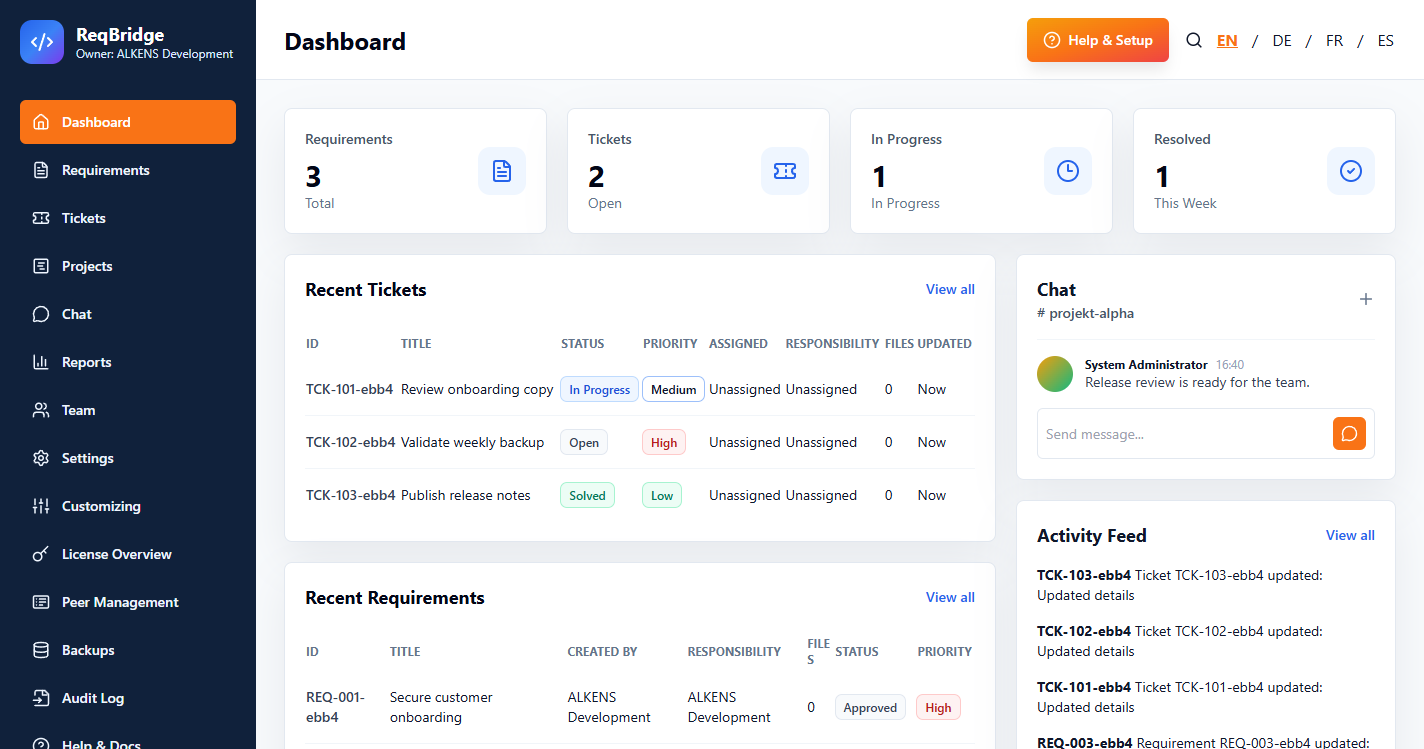
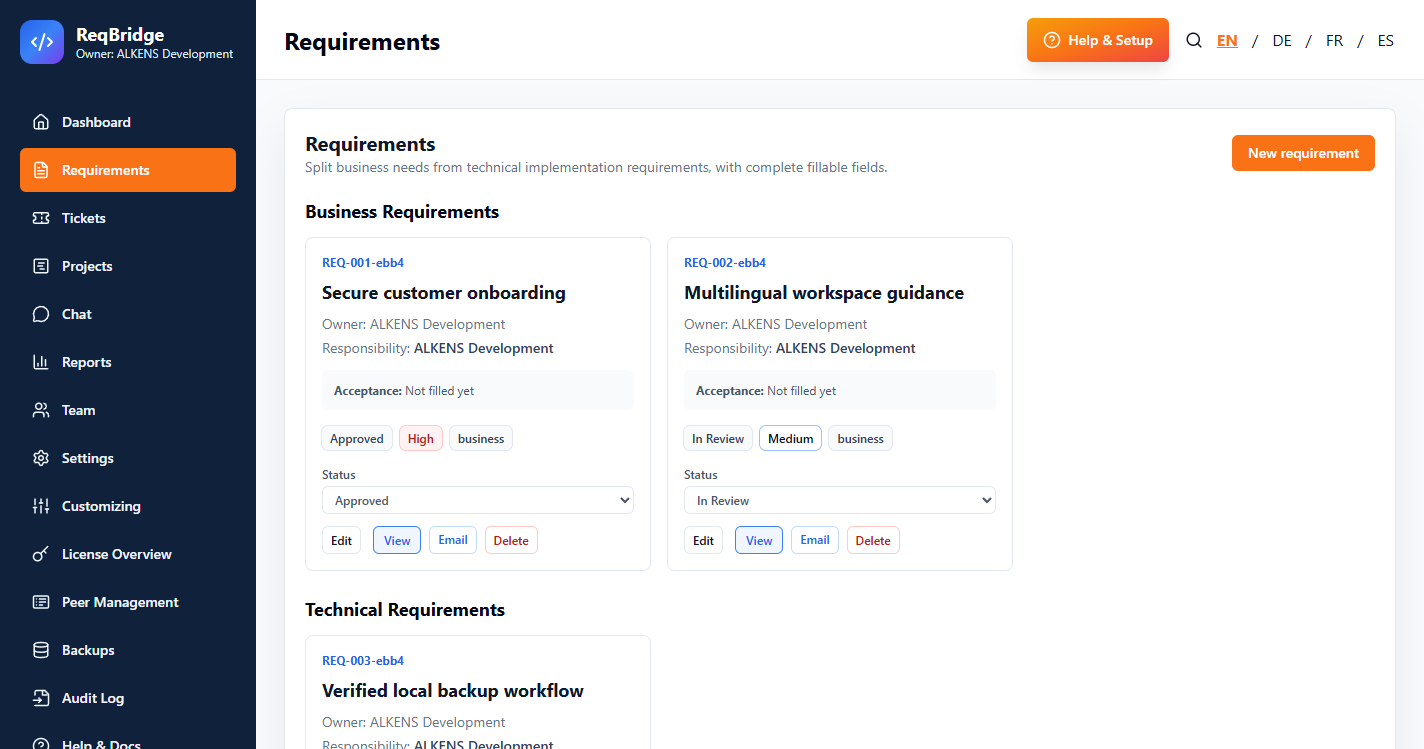
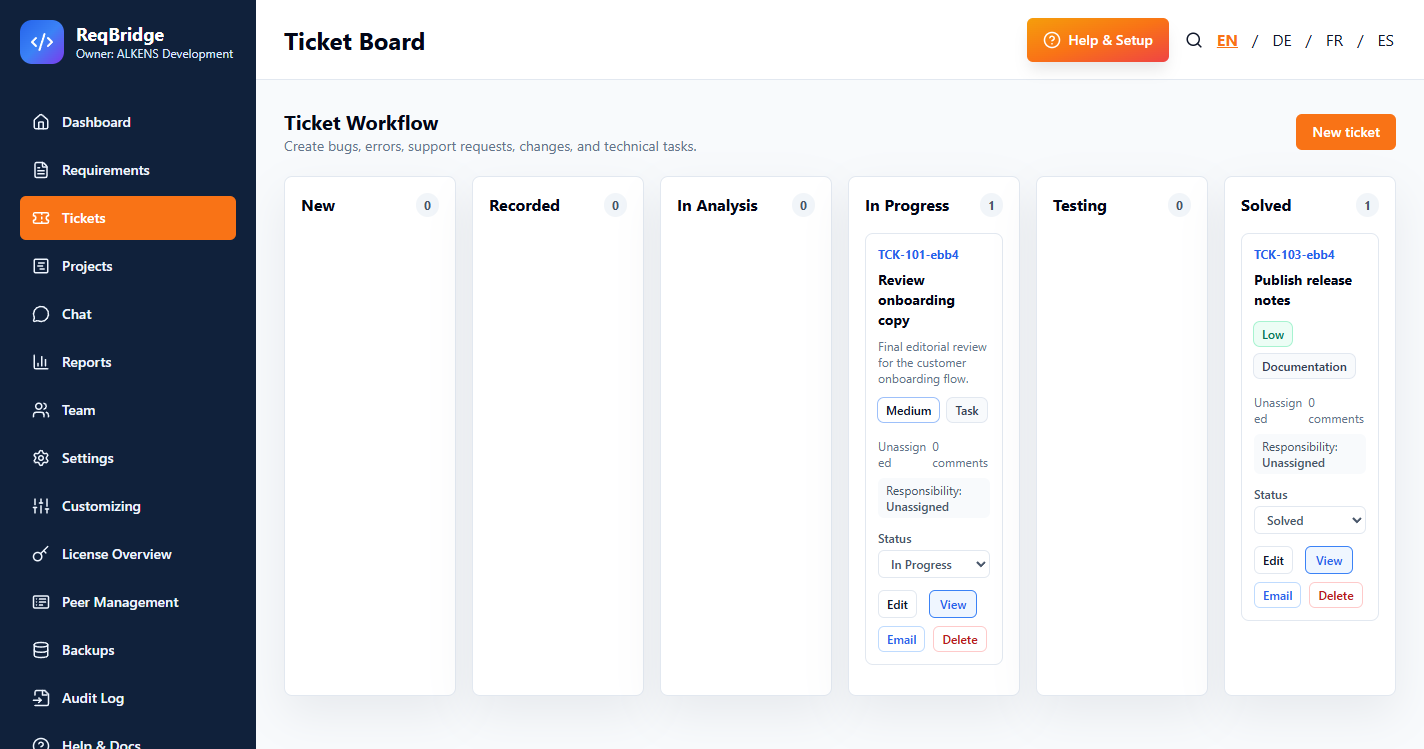
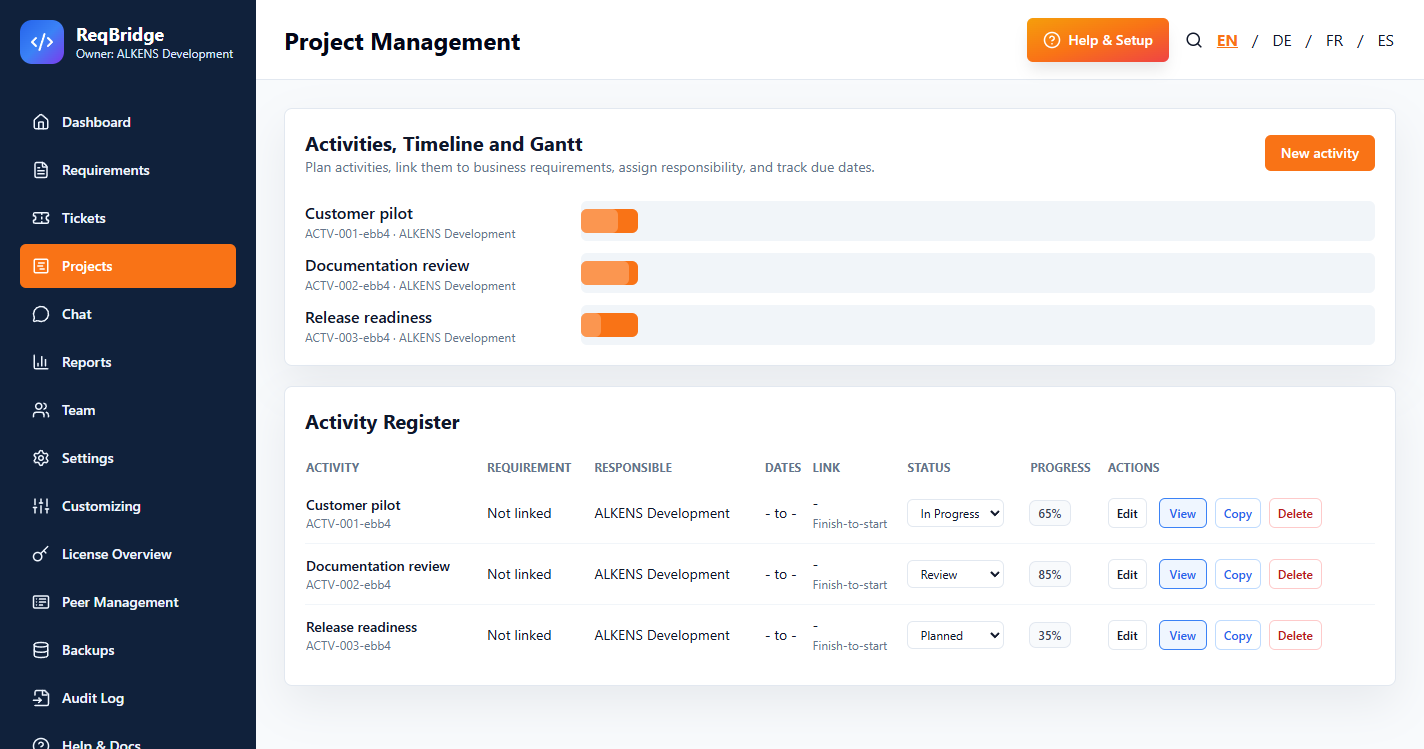
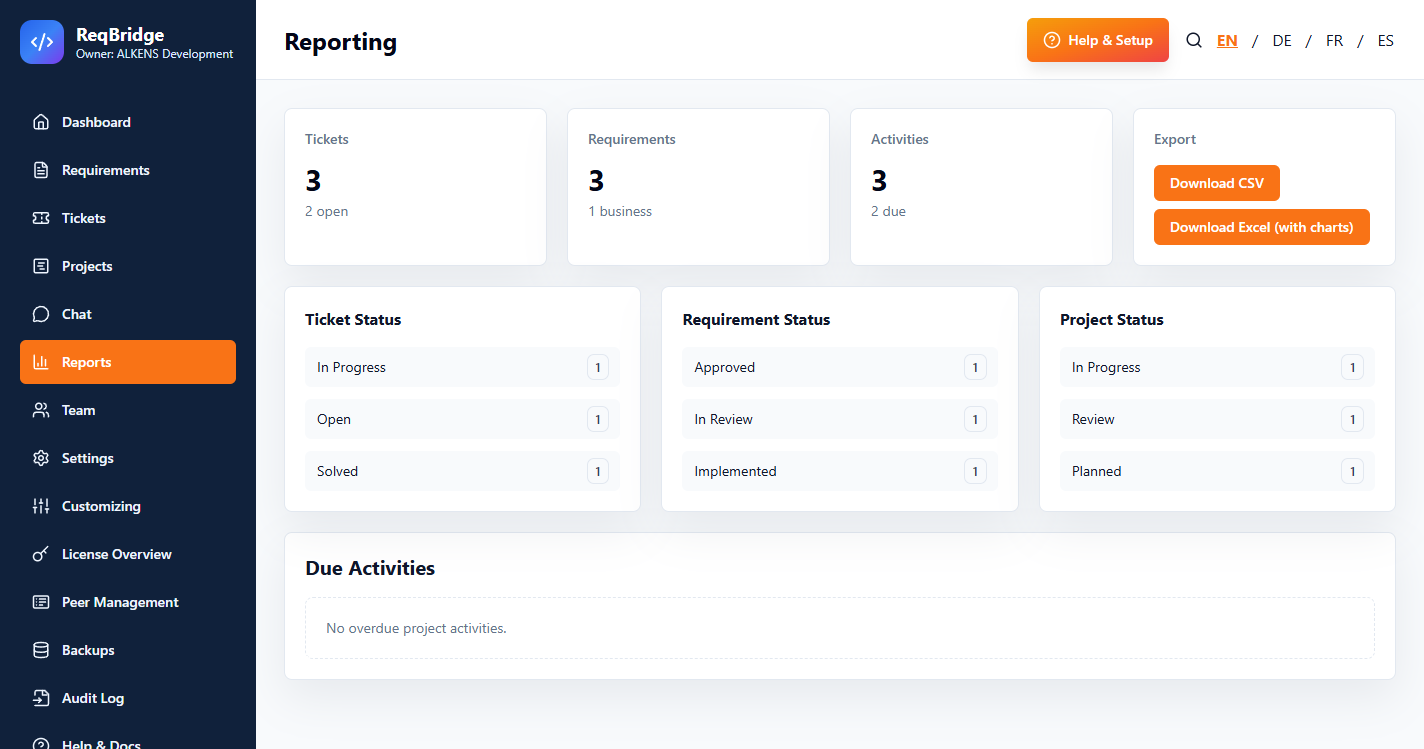
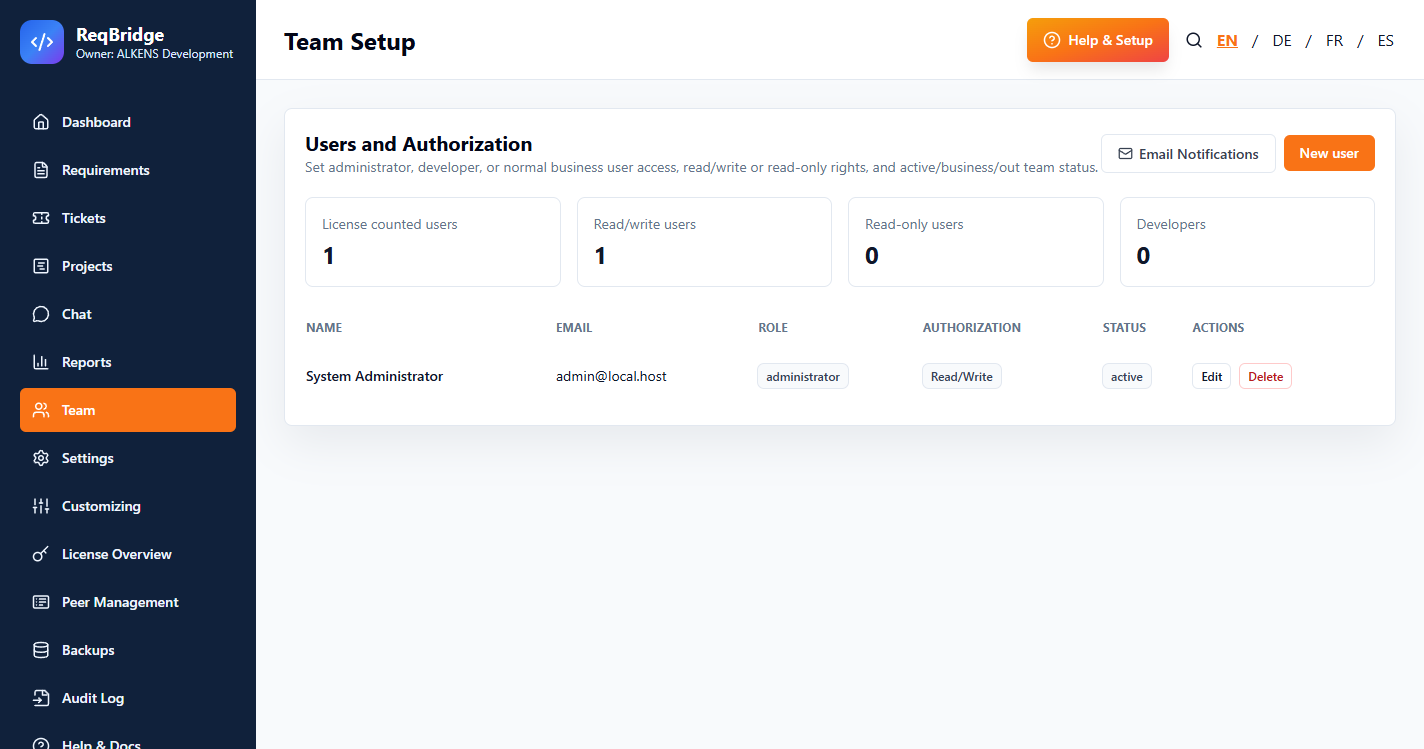
Everything a small team needs in one workspace.
Your data stays on your own installation.
User Beta and Admin Beta.
ReqBridge Team
Provides the operational workspace for authorized users: requirements, tickets, projects, reporting and chat.
ReqBridge Admin
Adds administrator management surfaces for configuration, licensing, backups, peers and audit information. Sensitive operations are enforced by server-side administrator authorization, not by hiding admin links in the interface.
Choose a per-seat annual plan.
ReqBridge Team is a pre-release Beta, licensed under an annual subscription. It may contain defects or cause data loss - verified independent backups are required before evaluation. Pricing and terms may change before general availability; existing subscribers are notified before any change takes effect.
Solo
1 seat
CHF 55 / year
Team
Up to 5 seats
CHF 140 / year
Business
Up to 20 seats
CHF 350 / year
Enterprise
Up to 40 seats
CHF 650 / year
- Minimum supported viewport: 768 px
- No uptime, recovery, or service-level commitment
- Windows Authenticode-signed installer - see artifact verification
- Secure download and license key delivered after payment is confirmed
What you need to run ReqBridge Team.
Windows 10 or Windows 11, 64-bit.
Approximately 200 MB free disk space for the application and its local database.
Any current Chrome, Edge or Firefox - the app opens automatically in your default browser.
Local web interface on port 8765 and LAN synchronization on port 8766 by default (configurable).
Windows Defender Firewall may prompt to allow the app - required only if you enable LAN access.
Administrator rights may be required to approve the firewall prompt on first LAN use.
Download, activate, and start your workspace.
Download and activation
- After payment, download ReqBridge Team from the confirmation page or purchase email.
- Copy and safely store the complete license key.
- Start the app, enter the key, and create the first local administrator account.
- Use My Account whenever you need a fresh download link.
The confirmation page shows your complete license key with a copy button and provides a secure, time-limited download button.
Use the secure link in your purchase email or sign in to My Account to generate a fresh download link.
Connect requirements, tickets and projects without moving operational data to a vendor cloud.
ReqBridge Team gives small organizations a focused Windows workspace for capturing business and technical requirements, turning follow-up work into tickets, and tracking project activities with clear responsibilities. It is designed for teams that need practical traceability without adopting a heavyweight enterprise platform.
Document goals, priorities, owners and supporting detail in one searchable workspace. Read the requirements-management guide for the complete workflow.
Link optional project context to requirements and tickets while keeping the workspace on infrastructure controlled by your organization.
The crawlable ReqBridge Team user guide explains installation, activation and daily workflows.
Use an AI assistant without sharing personal data or secrets.
Our reusable AI Setup Agent Guide helps an authorized administrator prepare, install, configure and validate ReqBridge Team. It includes privacy and security guardrails, local-team setup, role configuration, fictional pilot testing, backup checks and a completion checklist.
Safe by design
The guide tells the assistant never to request or retain passwords, licence keys, tokens, payment data, customer records or personal information—and never to expose ReqBridge directly to the public internet.
Common questions
Where is our data stored?
On your own ReqBridge installation's local database. There is no ALKENS-hosted copy of your workspace data.
Can multiple laptops share the same workspace?
Yes, over your local network, or through an administrator-approved peer connection to another ReqBridge instance.
How do we get access?
Choose a plan and subscribe via secure Stripe checkout. After payment is confirmed, you receive a secure download link and license key by email.
How do updates work?
Updates ship as signed packages; the app verifies the signature before applying an update.
What are the Beta terms?
ReqBridge Team is pre-release Beta software, supplied without a service-level commitment - see the Beta EULA and Beta Privacy Notice for the full terms.
Who do we contact for support?
Email support@alkensdevelopment.ch. In-app documentation is also available from the Help section once the app is running.